1. Introduction
1.1 What is DINAP
DINAP (Dynamic Incremental Nonlinear Analysis Program) is a structural analysis program based on the Finite Particle Method. It provides a powerful interactive user interface with many tools to help users quickly and accurately create models, while incorporating the analysis techniques required for the most complex engineering tasks.
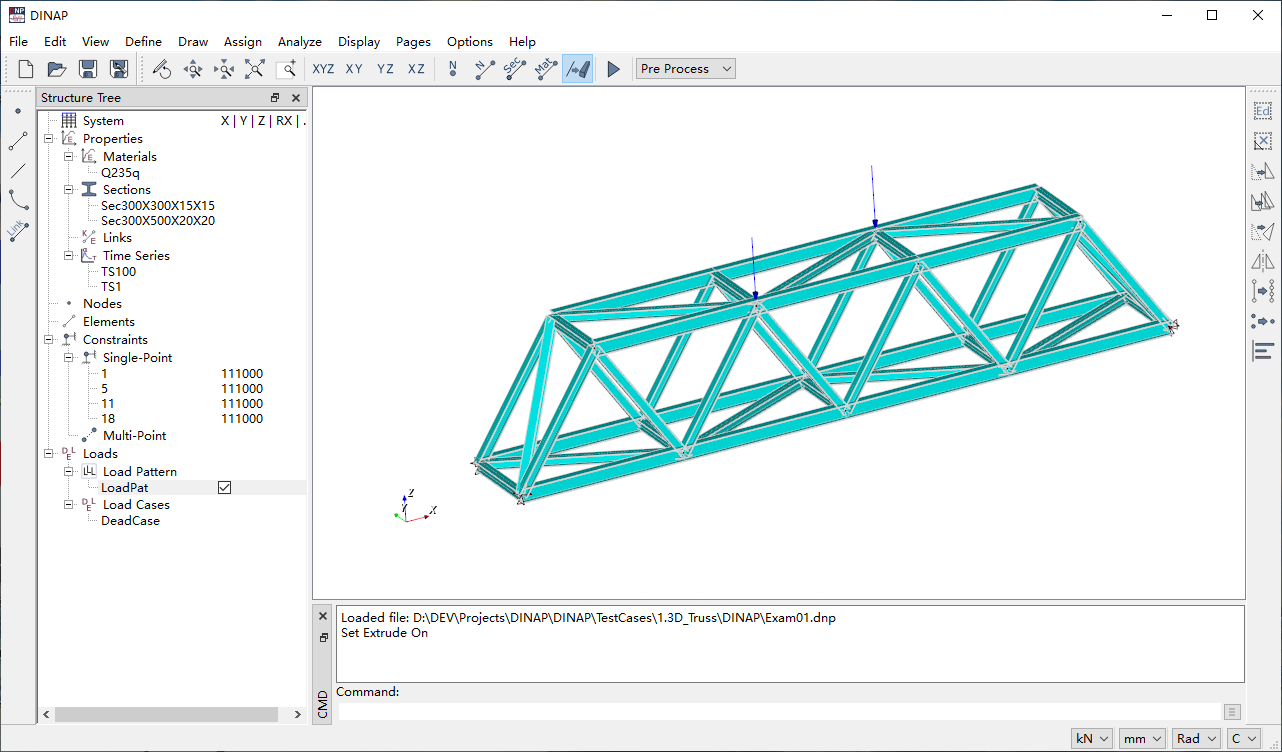
DINAP is a free, lightweight structural analysis program. Its graphical user interface is developed using the open-source QT interface library, and model visualization utilizes the open-source VTK visualization toolkit.
1.2 How to Obtain This Software
Thank you very much for your interest in DINAP. It is a software developed for public welfare purposes, and you can obtain it for free. You can request the desired version by sending an email to whchen@outlook.com / jacques.chen@qq.com, or download it directly online via the Internet.
If the program encounters an error during operation, please install Microsoft Visual C++ Redistributable
1.3 Development Process of DINAP
The development of DINAP consists of two phases. From October 2016 to August 2023, due to personal interest and the lack of good visualization software while learning OpenSees, I developed OSLite based on the wxWidgets interface library, QT interface library, and VTK visualization library. However, because OpenSees is too extensive, the development work was challenging. Later, after encountering the Finite Particle Method, I developed a new solver based on this theory, resulting in the current DINAP program.
2. DINAP’s Philosophy and Goals
Currently, mainstream commercial structural finite element software each have their own advantages but also various issues to varying degrees. Software engineers are not structural engineers; differences in work nature lead to differences in thinking. Only structural engineers understand what structural engineers need. The goal of DINAP’s development is to create a fully functional, general-purpose structural finite element software based on the Finite Particle Method. DINAP’s aim is not to replace other software or compete with similar software but merely to provide an additional option.
During DINAP’s development, I drew inspiration from many other software designs I consider excellent (not limited to finite element software), such as Midas Civil’s structure tree, AutoCAD’s command line and property panel, SAP2000’s clean interface, etc.
DINAP’s operational logic follows the KISS principle and Occam’s Razor in software development.
KISS stands for Keep it Simple and Stupid. The simpler the design, the better; any unnecessary complexity should be avoided. The design of any feature strives to minimize the required steps, similar to Apple’s iOS system design, aiming to achieve desired functions within three screen operations whenever possible.
Occam’s Razor (Occam’s Razor, Ockham’s Razor) follows the principle: “Entities should not be multiplied unnecessarily.” A clear counterexample to this principle is Midas Civil, where the same functionality can be found in multiple locations, such as the right-click menu, structure tree, and Ribbon tabs. DINAP strives to avoid such designs as much as possible.
3. Preprocessing Features
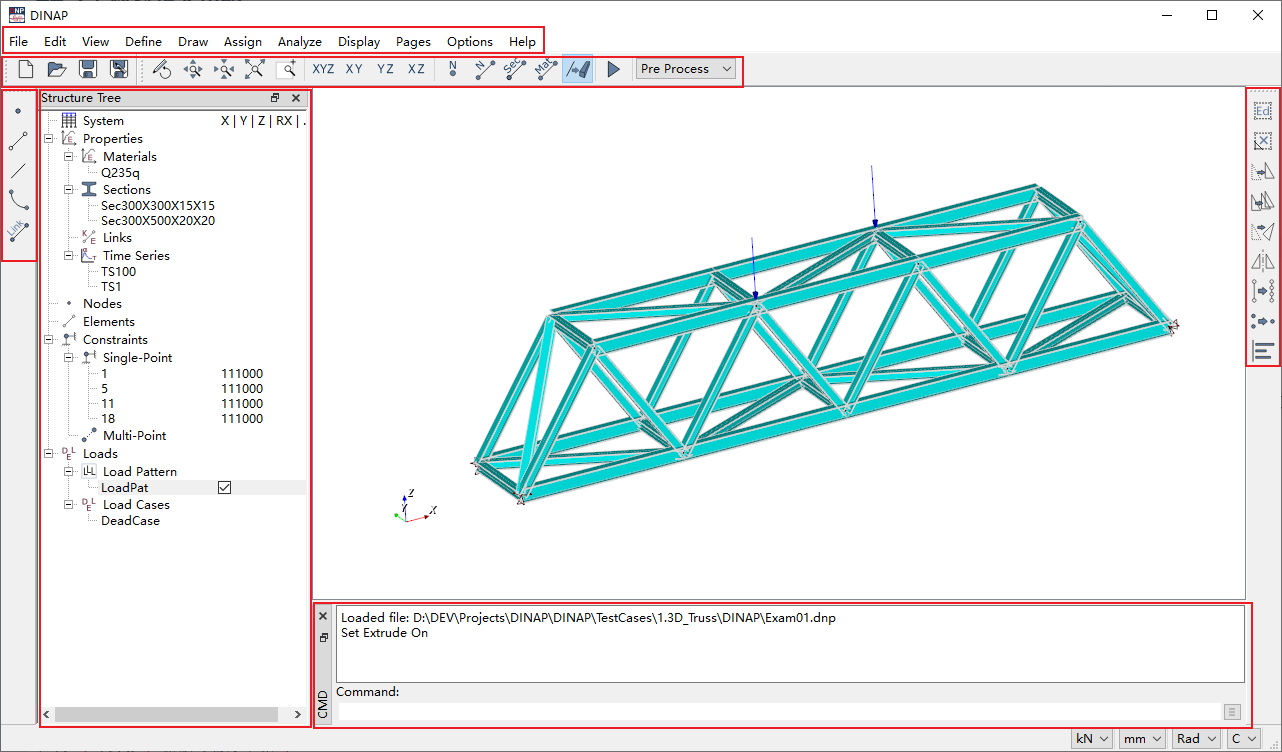
The software’s graphical interface includes several areas: the menu bar, common toolbar, element drawing toolbar, structure tree, model visualization area, command line, and property panel.
3.1 Material Definition Function
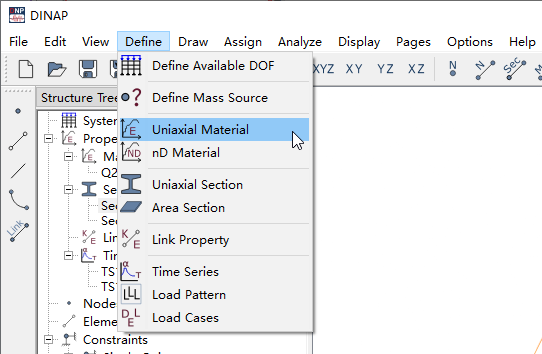
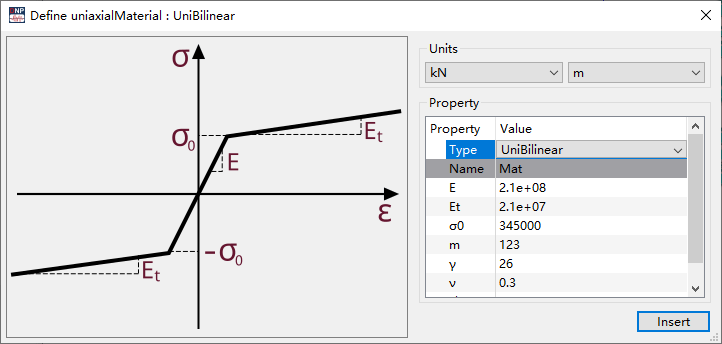
Under the “Define” menu, select “Material,” then choose the material type via the dropdown list in the “Select Material Type” dialog for editing and adding. Materials can also be added via the right-click menu in the structure tree.
3.2 Property Editing Function
Select the property to edit in the structure tree and choose the edit function from the right-click menu.
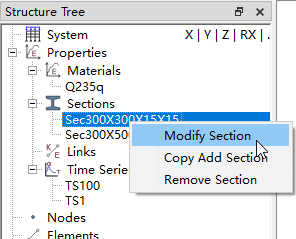
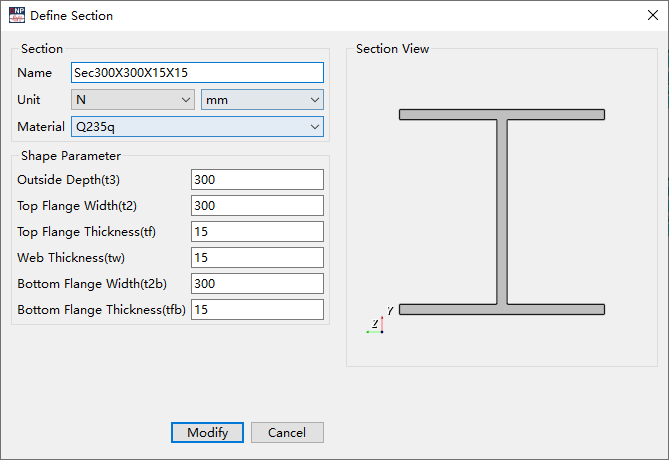
3.3 Element Drawing Function
Select the element type to draw from the “Draw” menu or the left-side “Element Drawing Toolbar.” Set the element properties such as material type in the property panel on the right, and follow the command line prompts to draw.
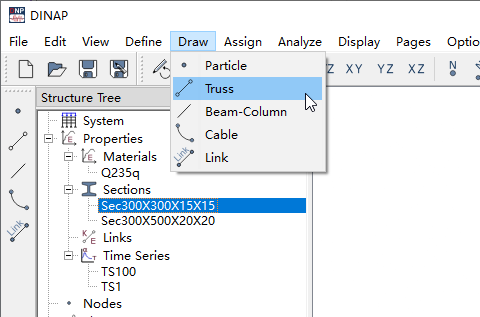
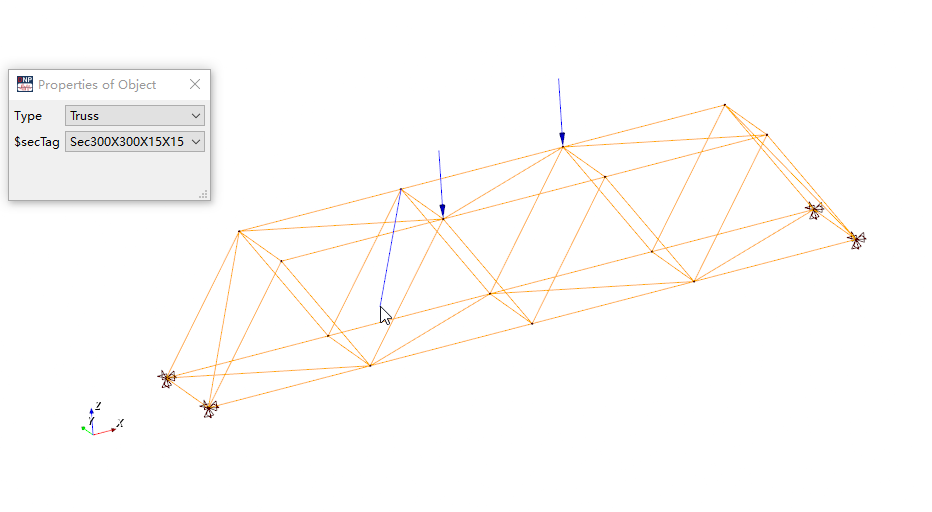
Currently, the software’s graphical operation features, in terms of interface and operational habits, strive to integrate elements from commonly used engineering software like Sap2000, Midas Civil, and AutoCAD as much as possible.
3.4 Command Line Operation
DINAP’s command line is a design inspired by AutoCAD’s command line. The command line function is a highly efficient way for users to interact with the software. Interaction means “output” and “input”; this functional area is a shared design for both information output and command input windows. The commands currently supported by the software are as follows:
3.4.1. Define Properties
| Abbreviation | Full Command | Description |
|---|---|---|
| ds | definesystem | Define model degrees of freedom |
| dum | defineunimaterials | Define uniaxial materials |
| dnm | definendmaterials | Define multiaxial materials |
| dsc1 | definesection1 | Define 1D element sections |
| dsc2 | definesection2 | Define surface sections |
3.4.2. Draw Nodes/Elements
| Abbreviation | Full Command | Description |
|---|---|---|
| pt | points | Draw points |
| tr | truss | Draw truss elements |
| bc | beamcolumn | Draw beam-column elements |
| ca | cable | Draw cable elements |
| li | link | Draw link elements |
3.4.3. Model Editing
| Abbreviation | Full Command | Description |
|---|---|---|
| ed | edit | Edit elements |
| e | erase | Delete selected nodes/elements |
| m | move | Move selected nodes/elements |
| co | copy | Copy selected nodes/elements |
| ro | rotate | Rotate and copy selected nodes/elements |
| mi | mirror | Mirror selected nodes/elements |
| div | divide | Divide selected “line” elements |
| mgp | mergepoints | Merge selected nodes |
| alp | alignpoints | Align selected nodes |
| sp | sp_constraint | Assign node constraints |
3.4.4. Switch Views
| Abbreviation | Full Command | Description |
|---|---|---|
| xyz | viewxyz | Switch to XYZ view |
| xy | viewxy | Switch to XY view |
| xz | viewxz | Switch to XZ view |
| yz | viewyz | Switch to YZ view |
| zr | zoomredraw | Refresh |
| zw | zoomwindow | Window zoom |
| za | zoomauto | Auto zoom |
3.4.5. Others
| Abbreviation | Full Command | Description |
|---|---|---|
| op | option | System configuration |
Command functionality will continue to increase with ongoing software development and will be categorized and refined in the future.
4. Postprocessing Features
- Display analysis results graphically;
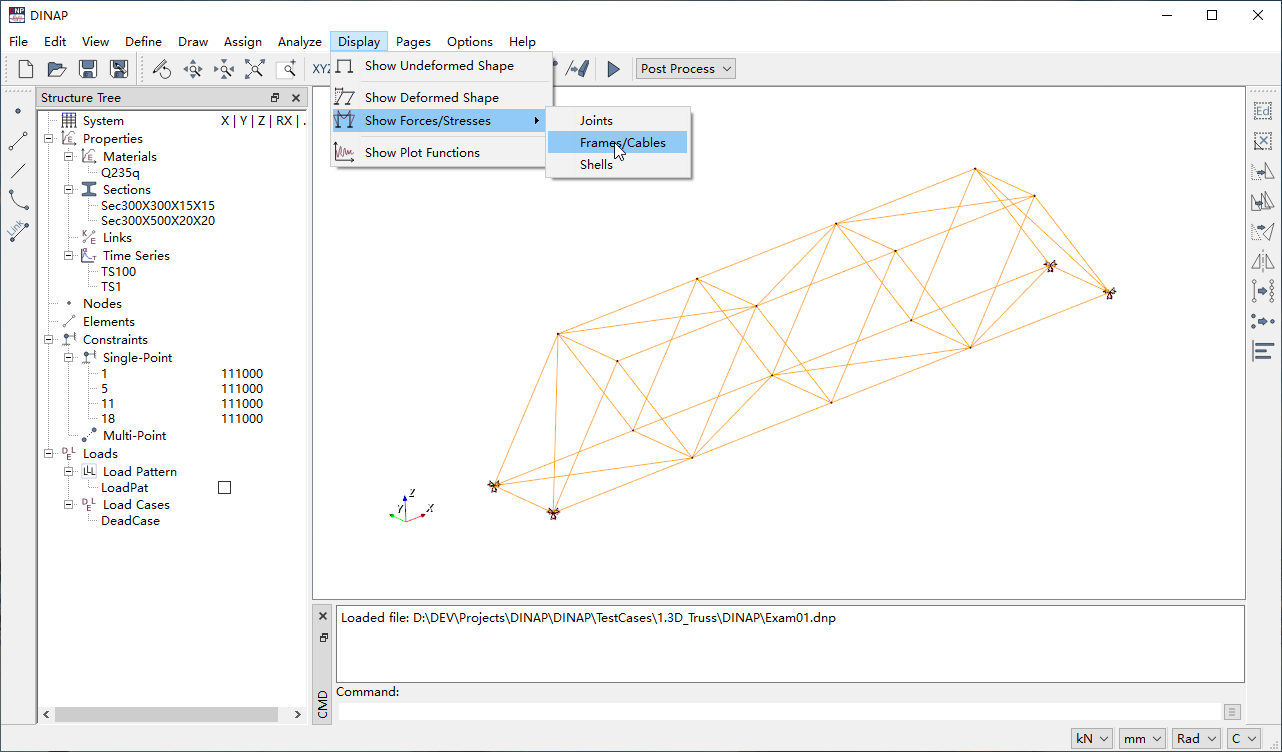
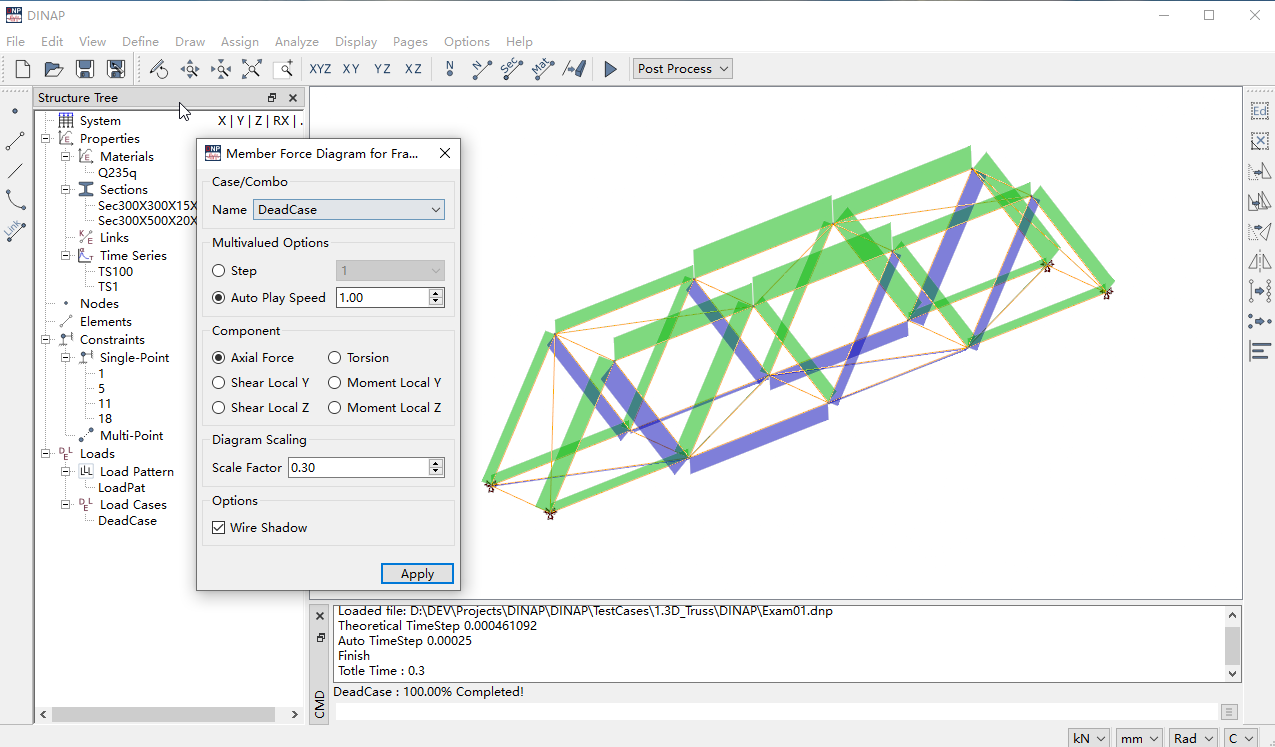
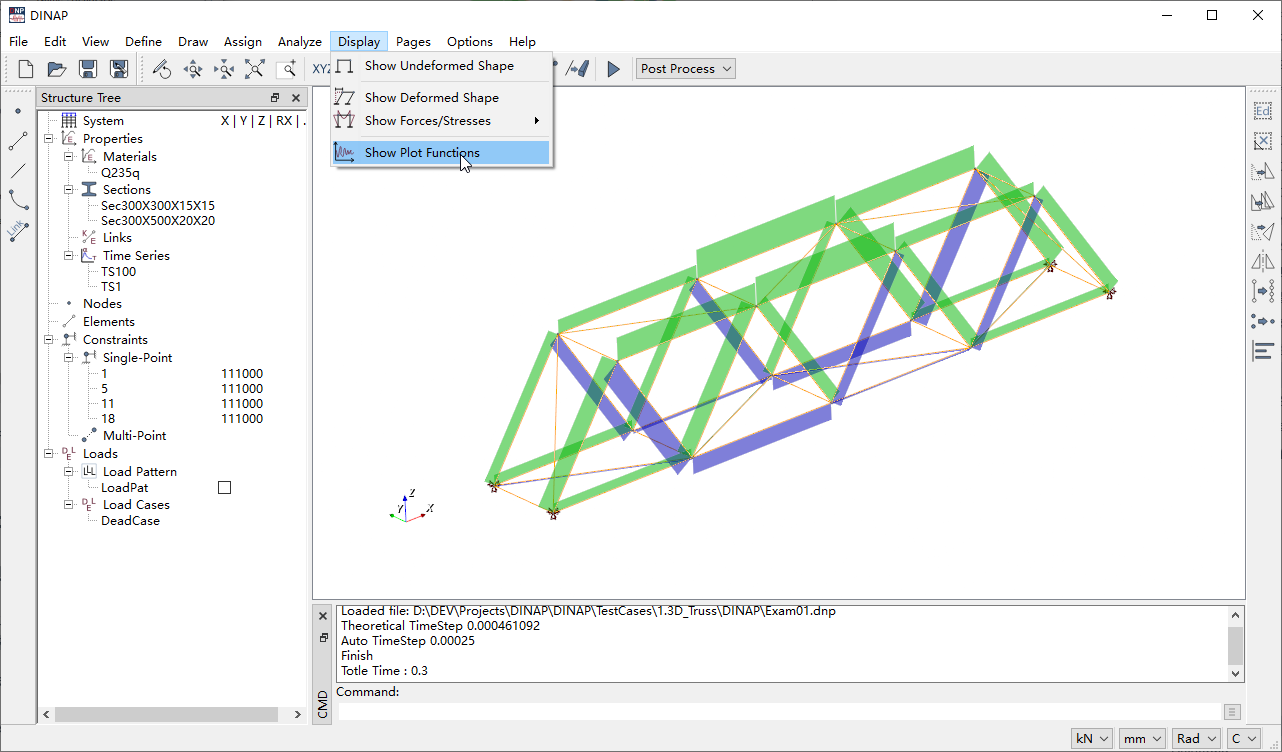
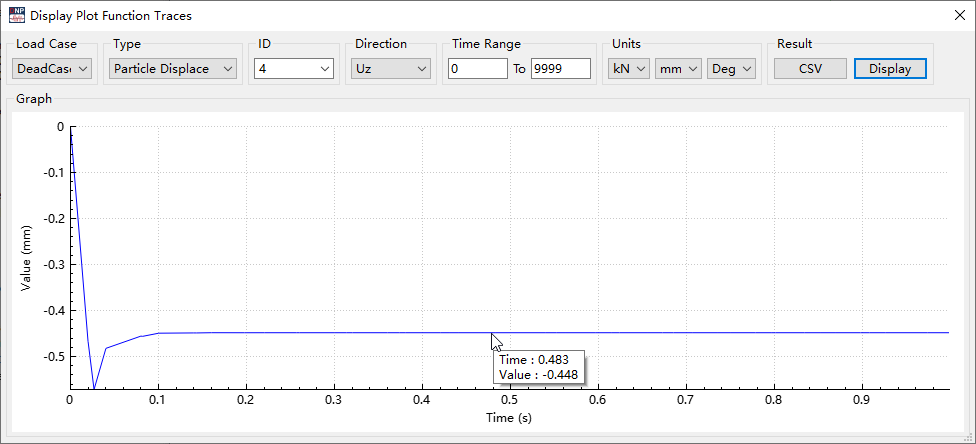
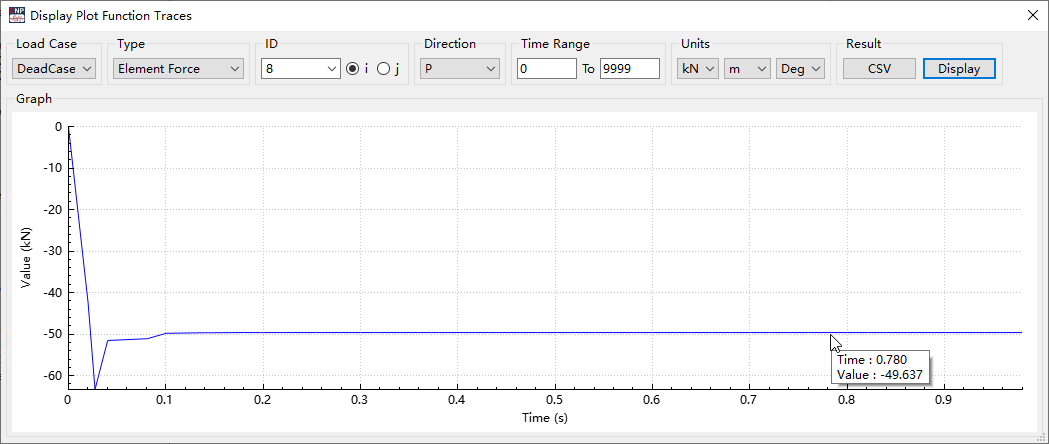
- Display analysis results as time-history functions
5. Open-Source Libraries and Licenses Used by DINAP
5.1 QT Interface Library
Qt is a cross-platform C++ graphical user interface application development framework developed by The Qt Company in 1991. It can be used to develop GUI programs as well as non-GUI programs, such as console tools and servers. Qt is an object-oriented framework that uses special code generation extensions (called the Meta Object Compiler, moc) and some macros. Qt is easily extensible and allows for true component programming.
The Qt library currently offers three licensing models: commercial license, open-source GPL license, and open-source LGPL license.
Regarding these two open-source licenses, simply put, software using the GPL version must remain GPL open-source software. Whether using Qt program code or modifying Qt library code, it must be released under GPL due to its “copyleft” nature.
GPL requires everything to be open-source, which is unfavorable for commercial software applications. Therefore, Qt added the LGPL license (the first L can stand for Lesser or Library). Using the LGPL license allows the use of Qt’s official dynamic link libraries without requiring the disclosure of commercial code. As long as the Qt library is not modified or customized, and only the official Qt dynamic link libraries are used, the source code does not need to be open, making it a commercially friendly licensing model.
5.2 VTK Visualization Library
The Visualization Toolkit (VTK) is an open-source, cross-platform, parallel-processing-supported graphics application library.
VTK utilizes object-oriented technology and includes a C++ class library, as well as interpreted interface layers such as Tcl/TK, Java, and Python. Its graphics model is built on a higher level than OpenGL, with all functions encapsulated in over 700 class libraries. VTK not only supports the display and rendering of geometric entities but also supports many graphics and visualization algorithms (vector, scalar, tensor) and advanced modeling techniques (fast modeling, polygon optimization, Delaunay triangulation). Additionally, VTK integrates graphics and image algorithms directly, merging 2D/3D graphics and image algorithms with data.
The VTK visualization library uses the open-source BSD license. The BSD open-source license grants users significant freedom. Essentially, users can “do as they wish”—freely use and modify the source code, and redistribute modified code as open-source or proprietary software. However, the condition for this “do as you wish” freedom is that when distributing code using the BSD license or developing your own product based on BSD-licensed code, three conditions must be met:
If the redistributed product includes source code, the source code must contain the original BSD license. If only binary libraries/software are redistributed, the documentation and copyright notice of the library/software must include the original BSD license.
The names of the original code authors/institutions and the original product name cannot be used for marketing purposes.
The BSD license encourages code sharing but requires respect for the authors’ copyright. Because BSD allows modification and redistribution of code, as well as the use or development of commercial software based on BSD code for release and sale, it is a very commercially friendly license. Many companies and enterprises prefer the BSD license when selecting open-source products because they can fully control the third-party code and modify or perform secondary development when necessary.